時刻
目標#
今の時刻をWebページに表示しよう
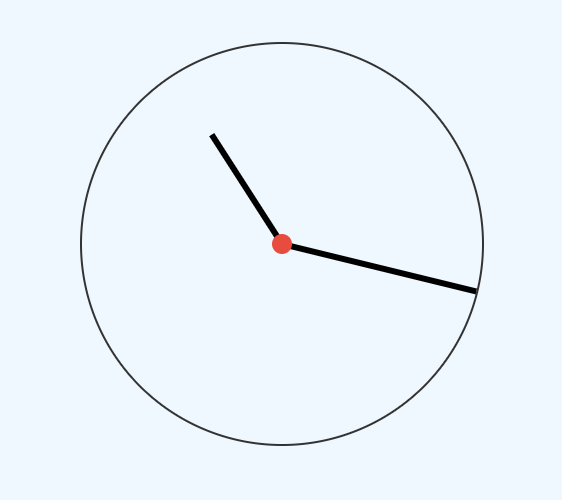
サンプルコード#
- HTMLのコードを、Glitchの index.html に追加しよう!
<h2>アナログ時計</h2> <div class="clock-container"> <div class="clock"> <div class="needle" id="hour"></div> <div class="needle" id="minute"></div> <div class="center-point"></div> </div></div>2.CSSのコードを、Glitchの style.css に追加しよう!#
.clock-container {    display: flex;    /* flexアイテムを積み重ねるように配置 */    flex-direction: column;    /* 各アイテムを均等に配置し    最初のアイテムは先頭に寄せ、    最後のアイテムは末尾に寄せる */    justify-content: space-between;    align-items: center;    padding: 30px;}
.clock {    position: relative;    /* 時計の外枠 */    width: 200px;    height: 200px;    border: 1px solid #333333;    border-radius: 50%;}.needle {    background-color: black;    position: absolute;    top: 50%;    left: 50%;    height: 65px;    width: 3px;    /* 要素の変形transformにおける原点を設定 */    transform-origin: bottom center;    transition: all 0.5s ease-in;}
.needle#hour {    transform: translate(-50%, -100%) rotate(0deg);}
.needle#minute {    transform: translate(-50%, -100%) rotate(0deg);    height: 100px;}
.center-point { background-color: #e74c3c; width: 10px; height: 10px; position: absolute; top: 50%; left: 50%; transform: translate(-50%, -50%); border-radius: 50%;}3.JavaScriptのコードを、Glitchの script.js に追加しよう!#
// 要素を取得するconst hourEl = document.getElementById("hour")const minuteEl = document.getElementById("minute")
function setTime() {    // 日時取得    const time = new Date()    // (TRY) hoursには時間を取得して代入しよう!    const hours = time.????()    const hoursForClock = hours >= 13 ? hours % 12 : hours    // (TRY) minutesには時間を取得して代入しよう!    const minutes = time.????()
    // 日時の設定    hourEl.style.transform = `translate(-50%, -100%) rotate(${scale(        hoursForClock,        0,        11,        0,        360    )}deg)`    minuteEl.style.transform = `translate(-50%, -100%) rotate(${scale(        minutes,        0,        59,        0,        360    )}deg)`}
const scale = (num, in_min, in_max, out_min, out_max) => {    return ((num - in_min) * (out_max - out_min)) / (in_max - in_min) + out_min}
// 日付をセットsetTime()
// 時計の針を動かすsetInterval(setTime, 1000)4.(TRY!) と書いてある箇所を書き換えて、コードを完成させよう!#
事前準備で使った「日付の取得方法」を参考にしよう!